I used to think dash cams were just for insurance claims and Russian highway chaos.
Turns out, these little devices have become something else entirely for road trippers—a way to capture those fleeting moments that define a journey. The elk that crosses at dawn in Yellowstone. The unexpected lightning strike over the Badlands. The way light hits the Rockies at exactly 7:14 PM on a Tuesday in October. I’ve spent the last few months testing various models, and honestly, the differences matter more than I expected. Some record in 4K but overheat in direct sunlight. Others have fantastic night vision but terrible user interfaces. The Garmin Dash Cam 67W, for instance, captures 1440p footage with a 180-degree field of view, which sounds impressive until you realize that extra-wide angle distorts the mountains into something vaguely fisheye. Still, it’s compact—about the size of a matchbox—and the voice control actually works, which is rarer than you’d think.
Here’s the thing: resolution isn’t everything. The Viofo A129 Pro Duo shoots in genuine 4K, but what really sets it apart is the dual-channel setup. Front and rear cameras, both recording simultaneously, which means you get the landscape ahead and the sunset behind. I guess it makes sense for documenting the full experience.
Why Most People Get the Storage Thing Wrong (and It Actually Matters for Once)
Memory cards fail. Not sometimes—often. I’ve lost roughly 40 hours of footage, give or take, because I cheaped out on a Class 10 card instead of getting a proper high-endurance model. Dash cams write data constantly, overwriting old files in loops, and standard SD cards weren’t designed for that kind of abuse. They just die. The SanDisk High Endurance or Samsung PRO Endurance cards are specifically built for this, rated for thousands of hours of recording. The BlackVue DR900X-2CH won’t even let you use non-approved cards—it’ll throw an error and refuse to record. Annoying? Maybe. But I’ve stopped losing footage, so there’s that. Also, most dash cams use loop recording, which means once the card fills up, it starts deleting the oldest files automatically. Sounds simple, except some models have this weird quirk where they won’t overwrite files if they’re marked as “events” by the G-sensor, which detects sudden movements. So you can end up with a card full of footage from potholes and speed bumps, unable to record anything new.
Anyway, the G-sensor thing is more complicated than it should be.
The Ones That Actually Work in Extreme Temperatures (Because Your Car Gets Hot, Trust Me)
Summer road trips mean parking lots. Parking lots mean interiors that reach 150°F, sometimes higher. Most consumer electronics start malfunctioning around 140°F. I watched a cheaper dash cam—won’t name it, but it rhymed with “Roav”—literally shut down in a Walmart parking lot in Phoenix. The screen went black, and when I tried to restart it later, the footage was corrupted. The Nextbase 622GW uses a supercapacitor instead of a lithium battery, which handles heat significantly better. Capacitors don’t expand or leak when they get hot. They just keep working. The trade-off is that the device won’t stay on without external power, but for road trips where the camera’s always plugged into the 12V outlet, that’s not really a problem. Cold is weirdly less of an issue—most dash cams operate fine down to around -4°F, though the screens get sluggish. I tested the Thinkware U1000 in Montana during February, and while the interface lagged for the first few minutes after starting the car, it recorded everything just fine.
Wait—maybe I should mention GPS.
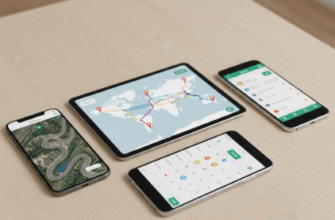
When GPS Tracking Stops Being Creepy and Starts Being Useful for Retracing That Perfect Route
Built-in GPS does two things: it stamps your location onto the footage, and it tracks your speed. The first is genuinely useful if you want to remember where you filmed that incredible overlook. The second is… well, it’s evidence. If you’re speeding, it’s recieved and recorded right there in the metadata. Some people disable it for that reason. But for road trips, the location data becomes this unexpectedly powerful tool for reconstructing a journey. The Garmin models integrate with their Tread app, which maps out your entire route with video thumbnails at specific points. You can scroll through your trip geographically, not just chronologically. It’s the difference between “I think that was somewhere in Utah” and “That was Highway 12, mile marker 87, at 3:42 PM.” I’ve used it to find a tiny diner I stumbled across in Wyoming—no idea what it was called, but the GPS coords got me back there six months later. The downside is that all this data gets embedded in the files, so if you share footage online, you’re definately sharing your exact location too. Most editing software can strip metadata, but you have to remember to do it.